

The COUNT function returns the count of numeric values in the list of supplied arguments. All numbers including negative values percentages dates fractions and time are counted.

Excel Formula Count Visible Rows In A Filtered List Exceljet
Something like countifA1Row Row.
Excel formula count row. In the example shown the formula in G6 is. To sum cells by color please enter the formula SUMIFF2F20NumColorE2E20. Use the COUNT function to get the number of entries in a number field that is in a range or array of numbers.
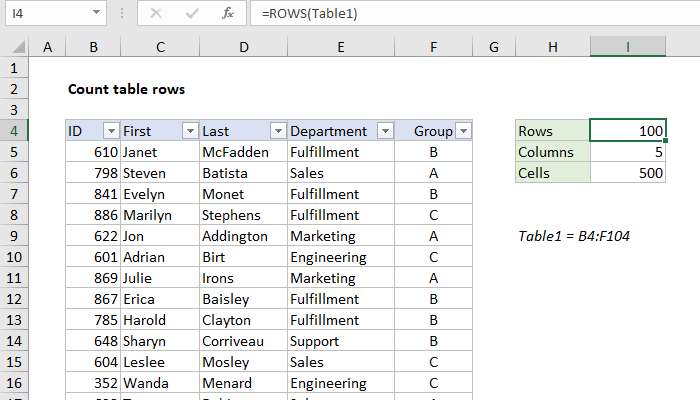
With just the table name ROWS will. Check out results for your search. To count rows with OR logic you can use a formula based on the SUMPRODUCT function.
SUM -- MMULT -- data 90TRANSPOSECOLUMN data 0. Once we open the SUBTOTAL function we are supplied with a function list under this. Arguments can be individual items cell references or ranges up to a total of 255 arguments.
To count rows that contain specific values you can use an array formula based on the MMULT TRANSPOSE COLUMN and SUM functions. If you want to ignoring both the zero cells and blank cells please apply this formula. ROWSAA returns 1048576 To count columns in a range see the COLUMNS function.
ROWS Table1 Note. In both formulas F2F20 is the Color column NumColor is the specified named range E2E20 is the Amount Column and you can change them as you need. With all the rows visible the COUNTIF formula that weve used for counting cells with text works a treat.
In the example shown the formula in G5 is. For example if we provide all of column A in a range Excel returns 1048576 the total number of rows in an Excel worksheet. OK now the count of these cells will 7.
For example if column A has customer numbers then can a user have column B be the current count of rows that have the same customer number. In the example shown the formula in I4 is. Check out results for your search.
The COUNT function counts the number of cells that contain numbers and counts numbers within the list of arguments. After selecting the subtotal method next we need to choose a range of cells to be counted. Ad Search for results at TravelSearchExpert.
COUNTAA1D10-COUNTIFA1D100 then press Enter key to get the result see screenshot. Id rather not use VBA and Im new to functions in Excel. For example you can enter the following formula to count the numbers in the range A1A20.
To count rows in an Excel table you can use the ROWS function. ROWS counts the number of rows in any supplied range and returns a number as a result. Since we are counting cells choose the 2 COUNT function.
COUNTIFA2A10 And now you narrow down the list by some criteria say filter out the items with quantity greater than 10. Ad Search for results at TravelSearchExpert. With above formulas you can count the total number of cells with nonzero values in a row column or range in Excel with changing the cell references in the formula.
SUMPRODUCT group a color1 red color2 red 0 where group B5B15 color1 C5C15 and color2 D5D15 are named ranges. So if the user were on B14 then the function would be countifA1A14 A14. Empty cells and text values are ignored.
To count cells by color please enter the formula COUNTIFF2F20NumColor.

Row Count In Excel How To Count The Number Of Rows In Excel

Excel Formula Count Cells That Contain Text Exceljet
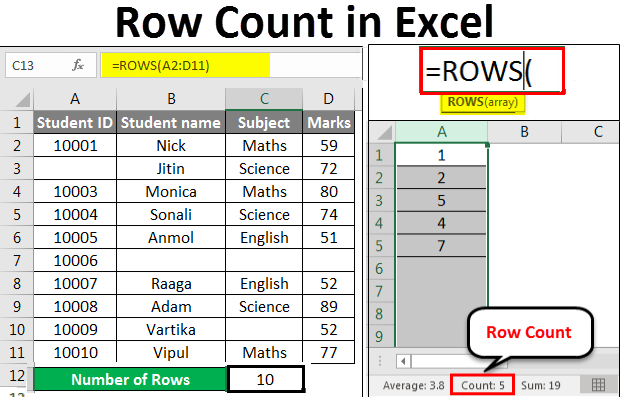
Row Count In Excel How To Count The Number Of Rows In Excel
Excel Formula Count Table Rows Exceljet
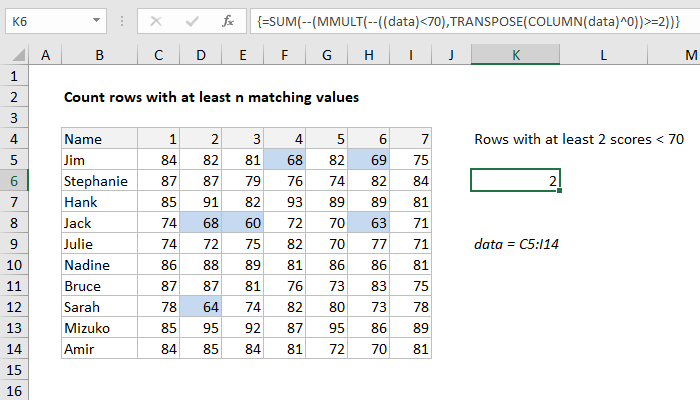
Excel Formula Count Rows With At Least N Matching Values Exceljet
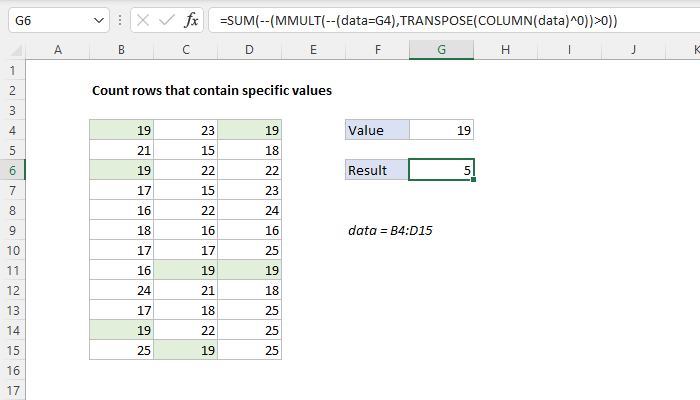
Excel Formula Count Rows That Contain Specific Values Exceljet

How To Use The Excel Count Function Exceljet
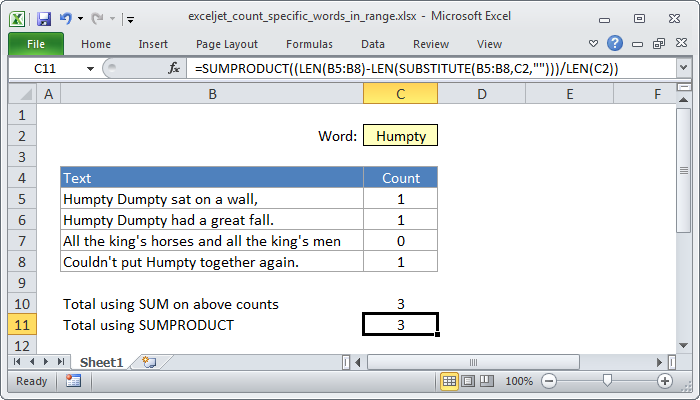
Excel Formula Count Specific Words In A Range Exceljet
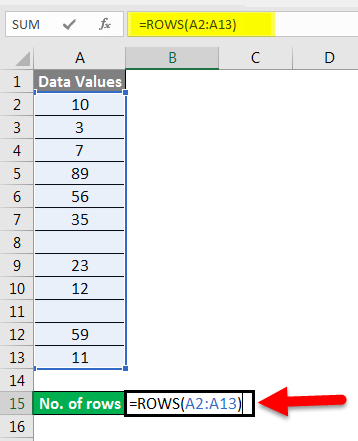
Row Count In Excel How To Count The Number Of Rows In Excel

Tidak ada komentar:
Posting Komentar